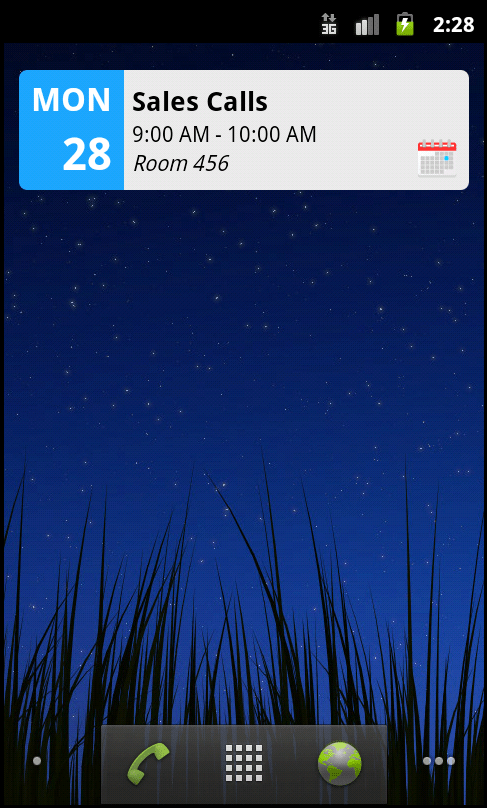
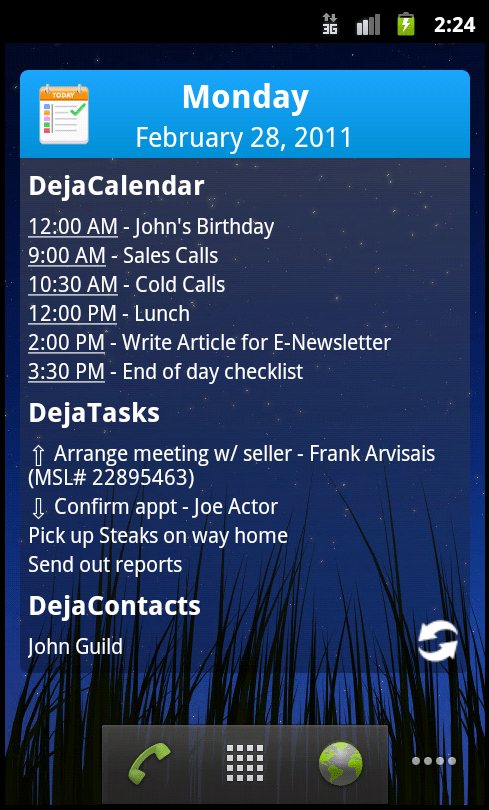
DejaOffice 1.10 for Android is a significant update. We’ve added a number of major new features and, as such, wanted to take the time to go through a few of them in greater detail. Over the next few days, I’ll be highlighting the following new features: Widgets, Global Search, Calendar Improvements, and Recurring Tasks.
Today, I want to focus on widgets. Widgets are a great way to add “at-a-glance” information to your Android’s home screens. They come in many varieties, from clocks to weather to e-mail and much more. So what do our widgets do? They display your DejaToday information. Today’s calendar events and tasks, as well as any contacts related to these activities, are displayed on either a 4×1 “marquee” style widget or a large, 4×4 overview widget. We designed these widgets to help you be even more productive on the go. A quick glance at your home screen is all it takes for you to keep tabs on your schedule! Additional details regarding any of the activities displayed in the widget are only a touch away.
To add a DejaOffice widget, simply tap and hold on any empty spot on your home screen, select “widgets” from the popup, and choose either the “DejaToday 4×1” or “DejaToday 4×4” widget. Then, sit back and enjoy have easy access to all your important information!
We hope you find these new widgets as useful as we do! If you have any questions on how they work, or have feature suggestions for future updates, please let us know! And be sure to check back tomorrow to learn about the new Global Search feature in DejaOffice 1.10!
Live database synchronization is one of the most challenging engineering problems of current IT architecture.…
Taking family road trips or navigating daily city commutes requires frequent pit stops along busy…
As professionals take on new responsibilities, their current tools and setup may no longer be…
Managing an engineering team is a job. You have to balance a lot of things.…
Most small businesses leak customers between first contact and the sale. Here is where the…
A designer in New York opens the same project that a developer in another country…