Traditional MySQL GUI tools had their time, but now they are nearing their limits. They leave you with slow queries that are not optimized, manual schema tweaks and trial and error JOINs. That’s why 85% of developers today use AI tools and 62% use an AI coding assistant.
In 2026, the best MySQL GUI clients come with AI baked in. They understand your schema, simplify queries, catch errors early, and give you back precious time. The best part? You get the speed of AI without losing control of your database. Now, let’s explore the top seven MySQL GUI tools with AI that are leading the way.
These tools were selected based on market relevance, official product capabilities, and usefulness for MySQL developers, DBAs, analysts, and architects. Tools without meaningful AI functionality or dedicated MySQL workflows were excluded.
| Evaluation criteria | What was reviewed |
| AI features | We looked at whether the AI actually helps with SQL work or just feels like a gimmick. Things like query generation, fixes, explanations, and optimization mattered most. |
| SQL editor quality | Autocomplete, query profiling, syntax checks, execution plans, and overall editor usability were part of the review. |
| Visual database tools | We checked ER diagrams, schema navigation, and visual query builders, especially for larger databases. |
| Data editing | We looked at how easy it is to filter, edit, sort, and bulk update data directly in the grid. |
| Schema design | Schema compare, synchronization, refactoring, and documentation tools were reviewed here. |
| Backup and recovery | We checked backup scheduling, restore workflows, and recovery support. |
| Import and export | Different file formats, migration options, and data transfer workflows were part of the review. |
| Platform compatibility | We reviewed support for Windows, macOS, and Linux, including workaround support where needed. |
| Pricing model | Free plans, subscriptions, perpetual licenses, and feature limitations were compared. |
| Primary use case | Some tools are clearly built for DBAs, others fit developers or analysts better. We looked at who each tool makes the most sense for. |
So, what is the best GUI for MySQL? The comparison below highlights how the leading tools stack up across AI features, workflow depth, pricing, and platform support.
Not every MySQL GUI tool solves the same problem. Some are built for deep DBA workflows, while others are designed as lightweight Windows or Linux MySQL client GUI tools for developers and analysts. The following table gives a side-by-side view of the differences before we break each tool down in detail.
| Tool | Best for | AI features | MySQL-only? | Free tier | OS support | Price from |
| dbForge Studio for MySQL | MySQL/MariaDB developers & DBAs | Built-in AI Assistant for SQL generation, optimization, explanations, and troubleshooting | MySQL/MariaDB-focused, with support for cloud database services | 30-day trial | Windows (macOS/Linux via Wine, CrossOver, Parallels) | $9.95/month |
| DataGrip | Developers and multi-database teams | AI Assistant integrations for SQL generation, explanations, optimization, and code assistance | No (universal) | Free for non-commercial use | Windows / macOS / Linux | $10.90/mo for individuals, $25.90/mo for organizations |
| DBeaver | Mixed database and open-source teams | AI integrations for SQL generation, explanations, optimization, and assistant workflows via OpenAI, Claude, Gemini, Ollama, and Copilot | No (universal) | Yes (Community) | Windows / macOS / Linux | Free / from $12/mo |
| Navicat for MySQL | DBAs and data modeling teams | Built-in AI features for SQL generation, explanations, optimization, and troubleshooting | Yes (MySQL focused) | 14-day trial | Windows / macOS / Linux | $14.99/mo |
| Chat2DB | Analysts and AI-first SQL workflows | AI-first SQL chat, text-to-SQL, query generation, optimization, and dashboard assistance | No (universal) | Yes (Community) | Windows / macOS / Linux | Free / from $5/mo for first 2 months, then $9/mo |
| DbVisualizer | Enterprise multi-database teams | Built-in AI Assistant for SQL generation, explanations, and troubleshooting | No (60+ databases) | Yes (Free edition) | Windows / macOS / Linux | Free / from $199/yr |
| Beekeeper Studio | Developers wanting lightweight SQL workflows | AI assistant integrations for SQL generation, explanations, and chat-based query workflows | No (multi-DB) | Yes (Community) | Windows / macOS / Linux | Free / from $18/mo |
Here is a breakdown of the top MySQL GUI tools. This MySQL GUI tools list showcases where each tool stands out, where it falls short, who it is best suited for, and whether the AI features are genuinely useful in day-to-day database work.
Platforms: Windows, Linux, macOS.
Best for: MySQL and MariaDB teams that need deep administration, schema management, and AI-assisted development in one IDE.
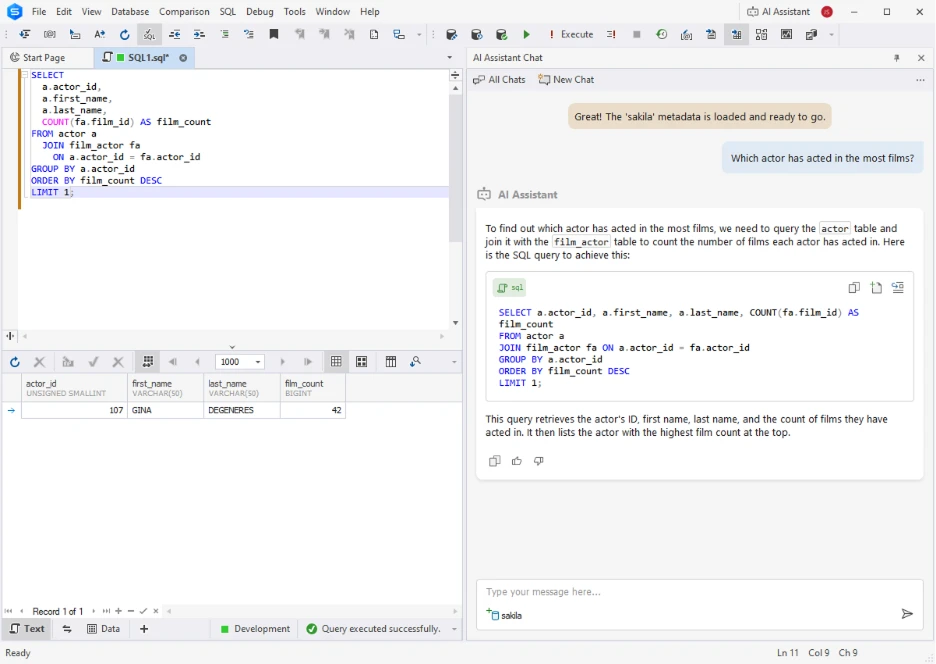
dbForge Studio for MySQL is for real MySQL and MariaDB administration, not only AI-assisted SQL. It has schema management, debugging, backups, synchronization and automation in one IDE. Its built-in AI Assistant handles SQL generation, optimization and troubleshooting, while deeper tooling keeps it useful for migrations, deployments and production workflows.
Starts from $9.95/mo with perpetual licensing available. Includes a 30-day free trial and free Express Edition.
Supports MySQL, MariaDB, Percona, HeatWave, Amazon RDS, Amazon Aurora, Azure Database for MySQL, Google Cloud, Alibaba Cloud, Tencent Cloud, Aiven Cloud, DigitalOcean, Kamatera, and Oracle MySQL Database Service.
“Makes designing and maintaining a database much easier. The Schema Sync is a must have, I also find it invaluable to quickly develop efficient scripts” — G2
Platforms: Windows, macOS, Linux.
Best for: Developers and multi-database teams already using JetBrains tools.
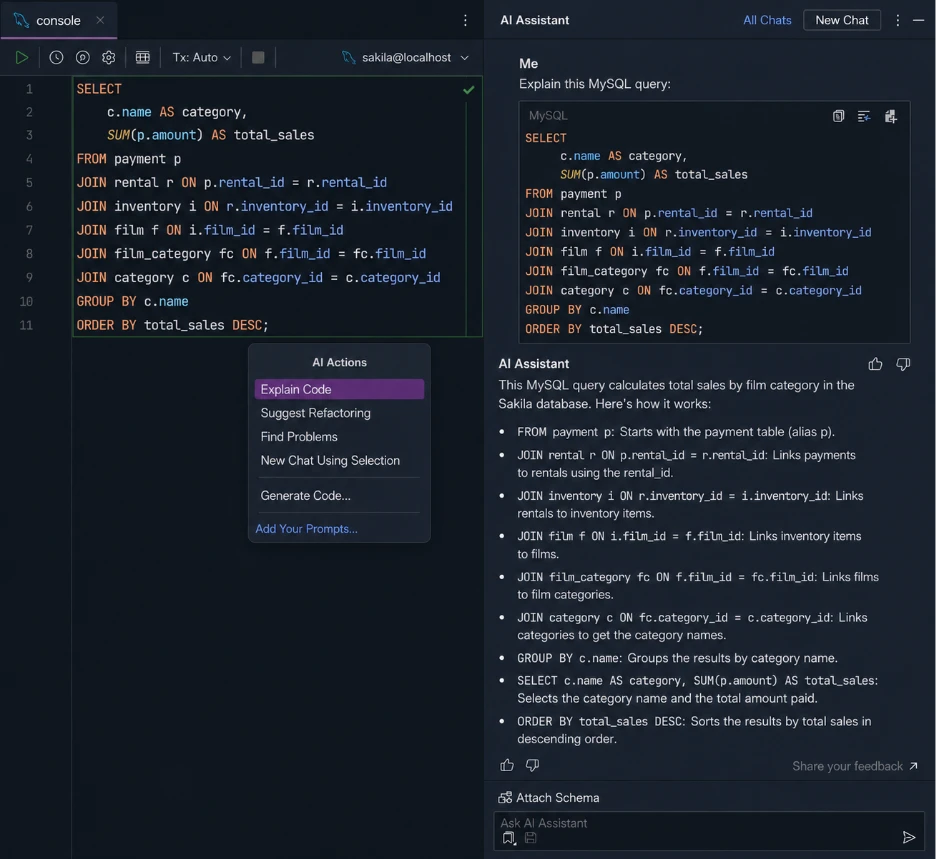
DataGrip is JetBrains’ database IDE that is built around developer workflows. The big win here is the SQL editor, which has good autocomplete, navigation, refactoring and schema awareness. AI support comes via JetBrains AI Assistant and Copilot integrations. It’s less loaded on the administration and DBA tooling side than tools like dbForge.
Free for non-commercial use. Commercial plans start at $10.90/month for individuals and $25.90/month for organizations. JetBrains AI Pro is priced separately.
Supports MySQL, MariaDB, PostgreSQL, SQL Server, Oracle, MongoDB, SQLite, and more.
“I use DataGrip to explore and analyze data using SQL in my company database. It’s agile, fast, and very easy to use.”— G2
Platforms: Windows, macOS, Linux.
Best for: Teams managing multiple database systems from one interface.
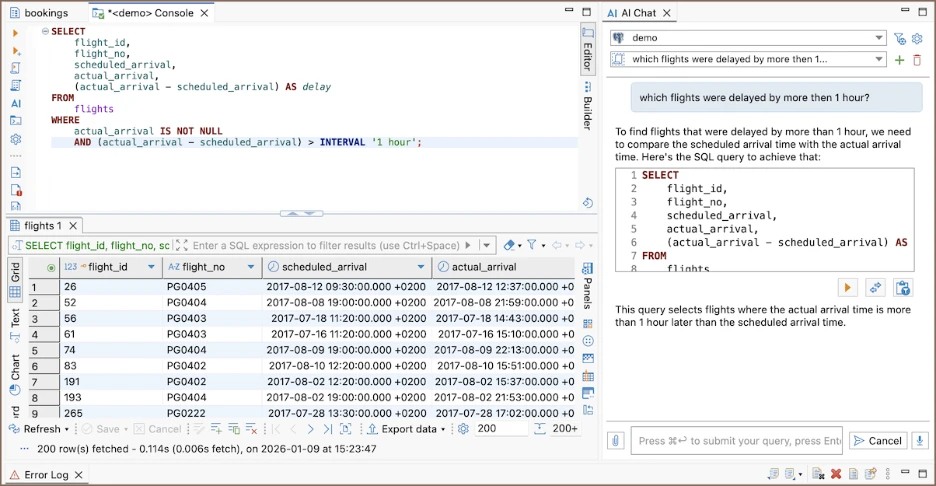
DBeaver is for teams that work with many database systems at the same time. Community edition is already good for everyday SQL work and basic AI features, and Lite, Enterprise, and Ultimate editions offer more AI features, plus additional administration, collaboration, and workflow tools. It also supports local AI models, CloudBeaver web deployments, and a variety of databases. The disadvantage is that the interface can be more cumbersome and complicated than some newer tools.
The community edition is free. Lite starts at $12/month or $113/year, while Enterprise starts at $26/month or $255/year.
Supports MySQL, PostgreSQL, SQL Server, Oracle, MongoDB, Snowflake, BigQuery, and many more.
“DBeaver is great because it lets me work with almost any database in one place. The UI is clean and easy to navigate, and it makes querying and editing data straightforward.” — G2
Platforms: Windows, macOS, Linux.
Best for: DBAs and teams that want a polished cross-platform MySQL client with strong administration and modeling tools.
Navicat for MySQL hits a nice middle ground between ease of use and more advanced database tooling. Navicat 17 continues to build on AI-powered SQL generation, optimization, explanations, and troubleshooting, but also touches on modeling, synchronization, automation, backups, and migration workflows. It feels a little more approachable than heavier IDEs, without losing touch of important administration features.
Standard plans start at $14.99/month or $149.99/year, with perpetual licenses from about $299 per license. A 14-day free trial is available.
Supports MySQL, MariaDB, Amazon RDS, Amazon Aurora, Azure Database for MySQL, Google Cloud SQL, and more.
“Navicat 17 is a one stop tool to do everything and anything you need to do with a database.” — G2
Platforms: Windows, macOS, Linux.
Best for: Teams that want natural language to drive database workflows.
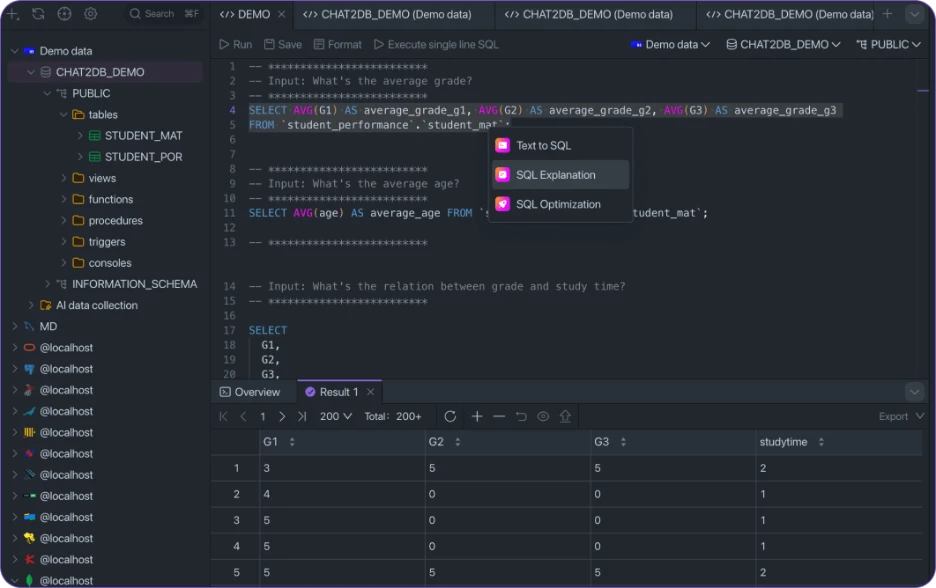
Chat2DB is focused on natural language SQL workflows. Supports models like GPT-4o, Claude, Gemini, DeepSeek, Qwen, etc. across 24+ databases. AI-assisted Dashboards, Query troubleshooting, etc. Local AI support is a big differentiator, though the platform is lighter on production administration and schema management workflows.
Chat2DB Starter starts at $8/user/month, Pro at $16/month billed yearly after a 7-day free trial, while Team plans start at $40/user/month.
Supports MySQL, PostgreSQL, SQL Server, Oracle, SQLite, Redis, MongoDB, ClickHouse, and more.
“Chat2DB is incredibly user-friendly and powerful. It makes complex database operations effortless and can help generate complex SQL queries directly.” — Chat2DB
Platforms: Windows, macOS, Linux.
Best for: Teams that want a stable multi-database client with reliable SQL workflows.
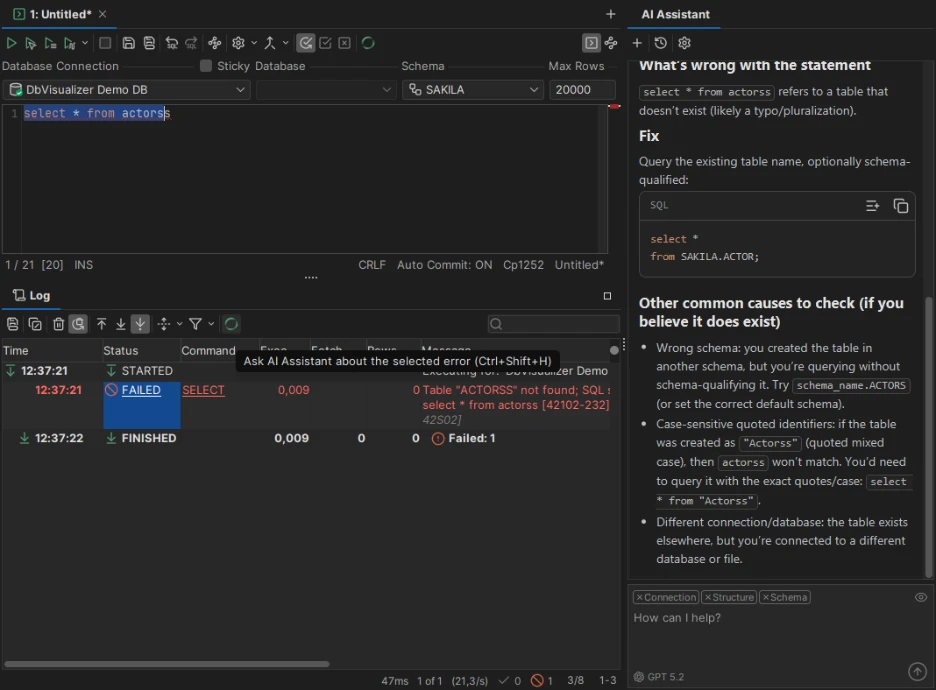
DbVisualizer is dedicated to stable SQL workflows across a number of database systems. The built-in AI Assistant assists with SQL writing, explanations and troubleshooting, and visual query building, reusable queries and Git integration help in day-to-day work. It’s not as modern as newer tools, but it’s solid for larger multi-database environments.
Free edition available. Pro starts at $199/year with renewals from $89/year.
Supports MySQL, MariaDB, PostgreSQL, SQL Server, Oracle, SQLite, Snowflake, BigQuery, Cassandra, and many more through JDBC.
“I have been using DbVisualizer on a daily basis, both for my personal projects at home and for my professional tasks at work, and it has quickly become my absolute go-to database client.” — G2
Platforms: Windows, macOS, Linux.
Best for: Developers who want a lightweight SQL editor with privacy-focused AI workflows.
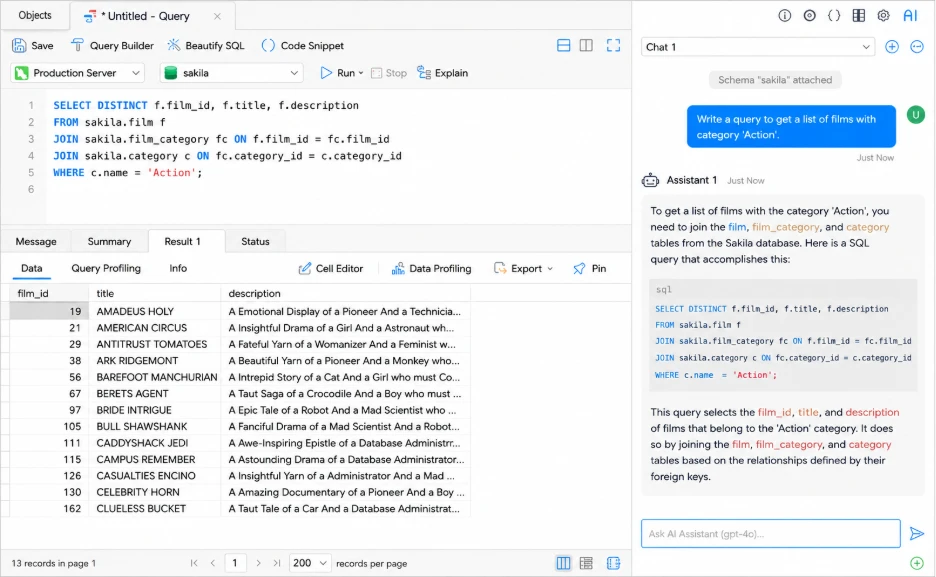
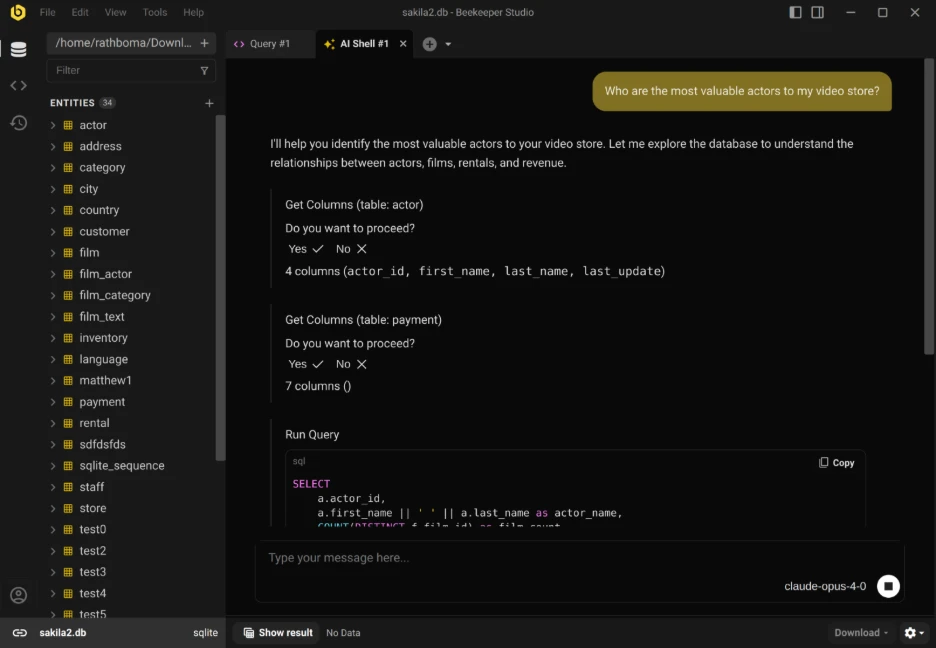
Beekeeper Studio is all about fast SQL workflows with a clean and lightweight interface. Its AI Shell connects with providers such as ChatGPT, Claude, Gemini and Ollama, providing teams with more control over AI and schema privacy. It works best as a simple developer-focused SQL workspace rather than a full DBA platform.
The community edition is free. Ultimate starts at $18/month per user.
Supports MySQL, MariaDB, PostgreSQL, SQL Server, SQLite, MongoDB, Redis, CockroachDB, Redshift, Trino, SurrealDB, and more.
“We’ve been using the Beekeeper Studio at our small tech company for several years now, and it has consistently exceeded our expectations.” — G2
The best MySQL GUI depends on your workflow.
Not all AI features are equal. A good AI tool for SQL should handle query generation, SQL explanations, optimization, and troubleshooting accurately against your real schema.
Look for schema-aware autocomplete, formatting, query history, visual query builders, and execution analysis. DataGrip and dbForge usually lead here.
For heavy import/export, reporting, or dashboard workflows, dbForge and Navicat provide broader tooling than lighter SQL editors.
Free tools like DBeaver Community and Beekeeper Studio are strong starting points. Paid tools become more valuable once AI automation, schema management, and production workflows become part of daily work.
The best MySQL GUI depends on where most of your database work happens. Some tools focus on AI-driven SQL workflows, others on administration, schema management, or multi-database flexibility.
For teams heavily invested in MySQL and MariaDB, dbForge Studio for MySQL delivers the most robust combination of AI assistance, schema management, query optimization, synchronization, backups and administration tooling in one environment. If broader database support, open-source flexibility or specific AI model support is a higher priority, tools like DBeaver, Chat2DB and Beekeeper Studio are strong alternatives.
The key is understanding the tradeoff between MySQL specific depth and broader flexibility before committing to a workflow.
Top options in 2026 include dbForge Studio, DataGrip, DBeaver, Chat2DB, Navicat, DbVisualizer, and Beekeeper Studio. The right choice depends on whether you prioritize MySQL-specific depth, multi-database support, or AI-first workflows.
Look for schema-aware autocomplete, AI-assisted SQL, visual query building, execution analysis, schema synchronization, import/export support, and reliable cross-platform compatibility.
dbForge Studio has an AI Assistant for natural language SQL, query optimization, SQL explanations and error analysis, all inside the IDE.
Beekeeper Studio supports AI with your own provider API key, while DBeaver and Chat2DB mainly provide advanced AI features in paid versions.
Fresh MMO launches are exciting precisely because everything feels unfinished. Characters are weak, routes are…
Nearly half of American homeowners — 47%, according to a December 2025 Rocket Mortgage survey…
Before deciding between search ads, social posts, or guest articles, define what counts as a…
Key Takeaways Top-ranked coverage: Roto-Rooter lands at number one with a 4.8-star rating and more…
Meta description Software companies that sell in Europe often need a local entity. Here is…
A lead scanned at a trade show is only as good as the record behind…