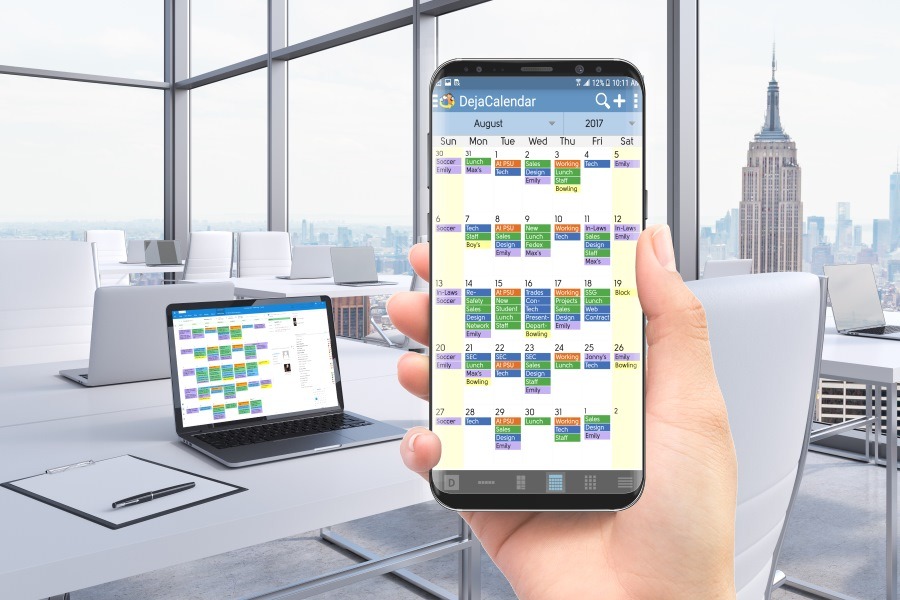
How to sync Samsung Galaxy S9 to Outlook without using Exchange

Published by
Wayland Bruns

Why can’t Outlook App actually work like Outlook?

To sync Outlook to Galaxy S9 without needing an Office 365 subscription.

  1. From Google Play Store, install DejaOffice on your Samsung Galaxy S9 or S9+
  2. On your PC, download CompanionLink for Outlook on your PC.
  3. Configure both for DejaCloud Sync
  4. Watch your Outlook Contacts and Calendar appear on your phone.

DejaOffice is Free.  CompanionLink runs on a two-week trial.

For more information on running Office without a subscription click here: https://www.companionlink.com/support/kb/How_to_Use_Outlook_without_Subscription

Samsung Galaxy S9 is the latest flagship from the world leader of Smartphones. There’s nothing faster or more effective.  Here I have an argument with Apple.  With iPhone there is no Widgets, and Widgets are so useful, you’ll never catch me using a phone without them.

What is a widget?  A widget shows App information on the phone desktop.  A widget allows me to quickly see my day view, and my contact list – without opening an app.  I can quickly tap on the location and get to my next appointment.  No search, no scroll.  Just one tap and I’m in maps.  One tap and I can call or sms.  Automatically updated all day.

Special features of DejaOffice:

  • Time zone management, so when you land your Calendar doesn’t go wonky
  • Calendar Colors that match Outlook
  • Templates that save time entering new Appointments and Tasks
  • Persistent alarms to be sure I don’t miss anything.
  • Recurring tasks compatible with Outlook
  • Optional:  Franklin Covey task priorities  A1, B2, C99
  • Works same on Android and iPhone, Phones and Tablets.

Check out https://www.dejaoffice.com for more information.

[xyz-ips snippet=”Reviews-CLO”]

SM-G960 and SM-G965, Outlook, Office 365

How to sync Samsung Galaxy S9 to Outlook without using Exchange was last updated April 24th, 2018 by Wayland Bruns
How to sync Samsung Galaxy S9 to Outlook without using Exchange was last modified: April 24th, 2018 by Wayland Bruns
Wayland Bruns

Wayland founded CompanionLink in 1987 as The Jorf Company, a maker of shareware 4gl products. As a leading maker of CRM Add-On products, the company started with Sync Products in 1996 for the PalmPilot. As CEO of CompanionLink, Wayland strives to balance quality customer service, products with good value, low prices, and a positive workplace..

Disqus Comments Loading...

Recent Posts

How Marketing Teams Use Skygen AI to Automate Workflows and Scale Output

Skygen AI for marketing teams helps in-house marketers automate repetitive workflows, deploy AI agents across…

17 hours ago

Easy Ways to Transfer Files to iPhone Without iTunes: A Simple Guide

Discover how to transfer files to iPhone without iTunes. Learn the easiest ways to move…

23 hours ago

Gemini 3 Pro API for Automating CRM Insights: A Practical Workflow Guide

For many professionals, the Customer Relationship Management (CRM) system is the lifeblood of business operations.…

23 hours ago

How AI is Reshaping Business Operations for Small and Mid-Sized Companies in 2026

The companies getting the most value from AI right now aren't necessarily the ones with…

23 hours ago

Work Laptop vs Personal Phone: Separating Profiles to Reduce Security Risk

Expert guide to reducing security risk by separating work and personal profiles on laptops and…

24 hours ago

Syncing the Field: Operational Tech for Large-Scale Logistics

Field operations will continue to evolve as new tools arrive. Staying ahead of the curve…

4 days ago