How to sync Outlook to Galaxy Note 8 – Contacts, Calendar, Tasks and Notes

Published by
Wayland Bruns

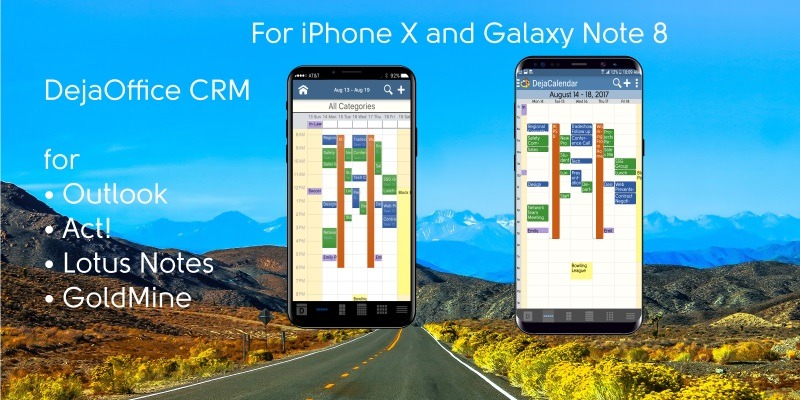
What we all want, is something that works like Outlook on the phone.  Not for email, but for scheduling, task management and mapping.

Try this:

  1. Download DejaOffice on your Galaxy Note 8
  2. Download CompanionLink for Outlook on your PC.
  3. Configure them for DejaCloud Sync
  4. Watch your Outlook Contacts and Calendar appear on your phone.

DejaOffice is Free.  CompanionLink runs on a two-week trial.

I’m all up and running on Galaxy Note 8 now.  Transition is as smooth as can be using Samsung Smart Sync and DejaCloud Sync.

  1. Install SmartSync and sync all my apps.
    1. This works great, but in every app, all the settings are lost.
    2. So I make a list, and set them back up one-by-one
  2. Set my DejaCloud login and password
    1. DejaOffice synchronizes automatically.

I like the larger screen on the phone.  In fact, my main complaint with Galaxy Note 8 is that I’d like the screen to be a bit wider.  I do a lot of reading on the phone, and a little more space would be nice.  As it is, it is slightly larger than Galaxy S8-Plus and this will work for now.


Special features of DejaOffice:

  • Time zone management, so when you land your Calendar doesn’t go wonky
  • Calendar Colors that match Outlook
  • Templates that save time entering new Appointments and Tasks
  • Persistent alarms to be sure I don’t miss anything.
  • Recurring tasks compatible with Outlook
  • Optional:  Franklin Covey task priorities  A1, B2, C99
  • Works same on Android and iPhone, Phones and Tablets.

Check out https://www.dejaoffice.com for more information.

CompanionLink for Outlook
Average User Rating:
Average rating: 4.83 out of 5 based on 666 reviews.
Free 14 day trial. Price $14.95 3-Mo Subs - $69.95 One-time License.
How to sync Outlook to Galaxy Note 8 – Contacts, Calendar, Tasks and Notes was last updated April 24th, 2018 by Wayland Bruns
How to sync Outlook to Galaxy Note 8 – Contacts, Calendar, Tasks and Notes was last modified: April 24th, 2018 by Wayland Bruns
Wayland Bruns

Wayland founded CompanionLink in 1987 as The Jorf Company, a maker of shareware 4gl products. As a leading maker of CRM Add-On products, the company started with Sync Products in 1996 for the PalmPilot. As CEO of CompanionLink, Wayland strives to balance quality customer service, products with good value, low prices, and a positive workplace..

Disqus Comments Loading...

Recent Posts

SEO Strategies for Manufacturers to Grow Visibility in 2026

Manufacturers must implement a strong SEO strategy to enhance visibility and drive traffic. By focusing…

9 hours ago

How Tracking Your Outdoor Rides with an Electric Dirt Bike Boosts Work & Wellness

Over time, your logged rides reveal trends: certain routes make you feel better; certain times of…

12 hours ago

The Best Budget Cars to Rent in Dubai for City Driving

Are you looking for affordable ways to get around Dubai? Discover the best budget cars…

12 hours ago

The Ultimate Guide To Finding Affordable Export Cars for Sale in Dubai

Discover the elite world of automotive luxury with premium export cars for sale and exclusive…

12 hours ago

Top 5 Smart Shipping Tips For Boston Businesses

Customers love clear, friendly tracking updates because they are effectively little check-ins that reassure them…

12 hours ago

Do Small Teams Need Enterprise Search in 2025?

Small teams benefit when knowledge is easy to find, secure, and consistent. Enterprise search delivers…

1 day ago