DejaOffice Contact Widget – All your Contacts on your Android Home Screen

Published by
Wayland Bruns

I was talking to my developer about the limits of Android Widgets. A widget uses Android memory to store stock data. Since Android 3.0 we’ve been able to scroll widgets.  This allows us to store more data than shows on the screen, allowing you to scroll to see it all.

I asked him what the limit was.

My developer didn’t know.

So I said “Let’s try making a contacts widget.”

“For what contacts?” he asks.

“All of them”, I answer.

So he does!

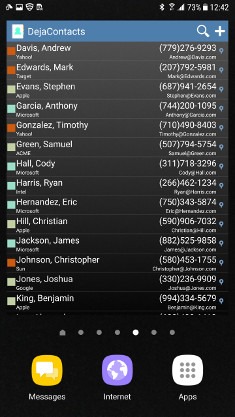
DejaOffice for Android now gives you an Android Desktop widget that shows All of your DejaOffice contacts. Whether that is 300, or 3000 or 30,000, they are all there.

From the Desktop Widget, you can dial the phone, email or text any contact on your list. All without opening any apps. Give it a try!

From Android Desktop, Long Press to get the menu for Widgets.  Select DejaOffice.  Select Contacts View 4×4. Place it on your desktop.  On most phones you can resize this to be any size you find convenient.

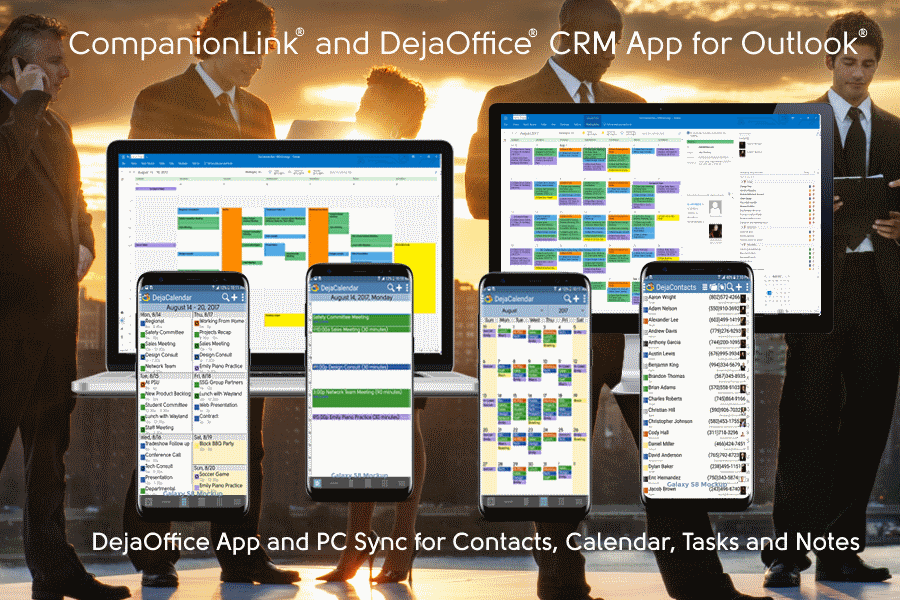
DejaOffice also provides widgets for Month View, Today, Tasks, and Memos.

Sync Galaxy S8 to Outlook without using Exchange

DejaOffice Contact Widget – All your Contacts on your Android Home Screen was last updated July 9th, 2017 by Wayland Bruns
DejaOffice Contact Widget – All your Contacts on your Android Home Screen was last modified: July 9th, 2017 by Wayland Bruns
Wayland Bruns

Wayland founded CompanionLink in 1987 as The Jorf Company, a maker of shareware 4gl products. As a leading maker of CRM Add-On products, the company started with Sync Products in 1996 for the PalmPilot. As CEO of CompanionLink, Wayland strives to balance quality customer service, products with good value, low prices, and a positive workplace..

Disqus Comments Loading...

Recent Posts

How AI Is Improving Small Business Marketing Productivity Without Increasing Headcount

Small businesses face constant pressure to grow visibility and revenue with limited resources. Marketing teams…

13 hours ago

Forward Buying & Hedging: Practical Playbooks for Predictable Commodity Costs

A clear guide to forward buying and hedging – signals to act, instruments to use,…

15 hours ago

A Look at the Types of Explainer Videos Brands Use Today

Explainer videos have become an essential communication tool for brands looking to connect with audiences…

19 hours ago

How to Transfer Music Between Devices Quickly

Transferring music between devices doesn't have to be a challenging job. Whether we opt for…

20 hours ago

How to Choose the Best Mobile Games for Your Play Style

t might be that your battery preservation settings undermine the performance of your game, too.…

2 days ago

How the Best WhatsApp CRM Improves Lead Qualification and Conversions

By connecting WhatsApp to a tool like Respond.io or HubSpot, you turn that noise into…

2 days ago