You may be required to convert an OST file to PST when migrating from one email account to another, recovering data from an orphaned/inaccessible OST file, and for other reasons. There is a built-in feature – Import Export Wizard – in Outlook that can help you to convert OST file to PST. But if you want to convert the OST file without Outlook, then you have to take the help of a specialized OST to PST converter tool. Read this article to know how to convert OST to PST without Outlook.
OST – Offline Storage Table – file is a cached copy of your mailbox data, which is created when Outlook is setup with Exchange, Office 365, or IMAP account. This file allows you to work even when you are not connected to the network/server. However, this file is tied to a specific Outlook profile, therefore, you cannot open and access it another account directly.
On the other hand, PST – Portable Storage Table – file is created when you configure your email account with POP3. It is mainly used for archiving or importing/exporting your mailbox data. PSTs are commonly used for migration, backup, or transferring items between profiles and systems.
You can convert your OST file to PST by using the Import/Export wizard – Outlook’s built-in utility. But this is only helpful when your Outlook profile is accessible. However, if your Outlook is not accessible or the OST file is orphaned, then the only way to convert it to PST is by using a reliable third-party online OST to PST converter tool. One such tool you can rely upon is the online OST to PST converter tool by Stellar. This is a web-based tool that is designed to convert an orphaned and inaccessible OST file to PST. Some more features include:
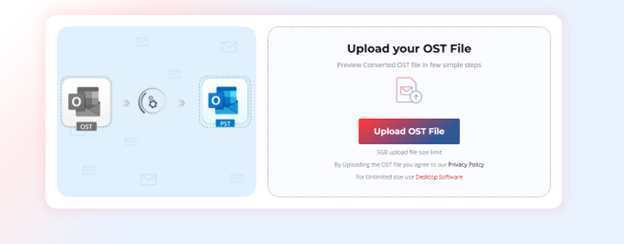
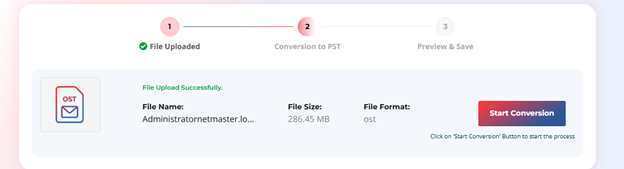
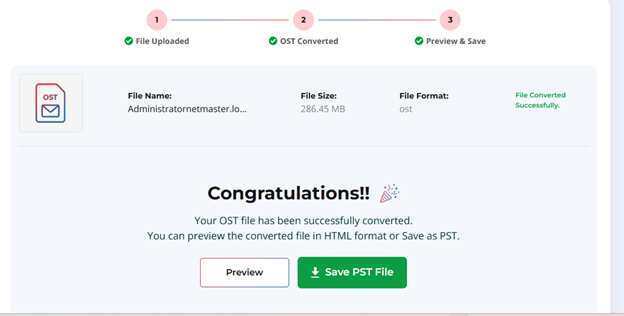
Let’s see how to convert an OST file to PST by using the online OST to PST converter by Stellar:
With this online OST converter, you can convert up to 500 MB OST file to PST absolutely free. However, if your OST file is large, then you can upgrade to its premium version. This version allows you to convert up to 5GB of OST files.
But if you require more control over the conversion environment, then you should go for the desktop version – Stellar Converter for OST. This version is ideal for converting OST files without any size limit. It also offers options to save the file items in MSG, EML, RTF, HTML, or PDF file format.
You cannot open and access an orphaned or inaccessible OST file. To access this file, you must convert it into PST format. For this, you can go for the online OST to PST converter tool by Stellar mentioned in this article. This is a web-based tool that is designed to convert your OST file to PST online. This tool can convert up to 500 MB of OST file for free. If your OST file is large, then you can upgrade to its premium version or the desktop version.
Learn how to safely reset a tripped circuit breaker, spot the warning signs of a…
Three contractors, three wildly different bids. Here is what actually drives roof pricing in Seattle…
A BaZi calculator api turns birth data into the Four Pillars used in Chinese metaphysics:…
Adding e-signatures to a SaaS product sounds straightforward: upload a document, send it to a…
Witnesses can object to questions through their attorney, and there are legitimate grounds for objection.…
Walk into your Texas appraisal review board hearing knowing exactly what to say, what to…