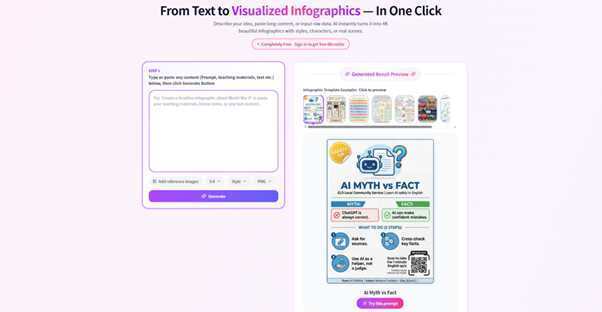
In the fast-paced world of project management and digital marketing, clarity is currency. Whether you are outlining a product launch for stakeholders or summarizing complex data for a client, the medium you choose is just as important as the message. While spreadsheets and text-heavy documents have their place, nothing communicates a vision quite like a visual timeline.
This is where Infograph.app becomes indispensable. As a powerful visual strategy platform, Infograph.app simplifies complex storytelling. While it is widely recognized as an intuitive Infographic Creator, its capabilities shine brightest when used as a professional-grade roadmap maker.
If your goal is to transform strategy into clarity, Infograph.app is designed specifically for that purpose.
Before diving into how to use Infograph.app as a Roadmap Maker, it is essential to understand why visual roadmaps outperform traditional planning documents.
A strategic roadmap is more than a calendar — it is a declaration of direction. It aligns cross-functional teams, manages stakeholder expectations, and tracks measurable progress.
However, building a roadmap manually in presentation software can be tedious and inefficient. A dedicated roadmap maker like Infograph.app eliminates unnecessary design friction, allowing you to focus on strategic thinking instead of formatting slides.
By converting static plans into dynamic visuals using Infograph.app, you:
One of the biggest advantages of Infograph.app is its balance between simplicity and professional-level depth. Whether you are new to visual design or an experienced strategist, this roadmap maker is built for efficiency.
1. Access and Onboarding
Getting started with Infograph.app is seamless:
Because Infograph.app is browser-based, there is no heavy software to download — you can start building your roadmap immediately.
2. Selecting the Right Roadmap Template
A blank canvas can slow momentum. That is why Infograph.app, as a professional roadmap maker, provides a wide selection of ready-made templates.
To begin:
Whether you need a sprint-based product roadmap or a long-term quarterly strategy, Infograph.app provides layouts that adapt to your planning style.
Here is how to transform a template into a compelling visual strategy using Infograph.app.
Step 1: Define Your Timeline Structure
Every roadmap starts with a clear time axis.
With Infograph.app’s roadmap maker tools, you can:
This flexibility makes Infograph.app ideal for both startup roadmaps and enterprise planning.
Step 2: Add Milestones and Deliverables
As a robust roadmap maker, Infograph.app makes milestone editing intuitive.
Instead of static bullet lists, Infograph.app transforms milestones into structured visual anchors.
Step 3: Apply Visual Coding and Categorization
Clarity is essential in roadmap design. Infograph.app enables smart visual organization through:
These features make Infograph.app more than just a roadmap maker — it becomes a strategic visualization engine.
While many users start with roadmap creation, Infograph.app is also a full-featured Infographic Creator.
Once your roadmap is complete, you can expand into broader visual communication.
Data Visualization Integration
Roadmaps often require supporting data. With Infograph.app’s Infographic Creator tools, you can:
Instead of switching platforms, Infograph.app keeps your strategic visuals unified.
Flowcharts and Process Mapping
Sometimes timelines need process context.
Using Infograph.app, you can:
This dual capability — roadmap maker and Infographic Creator — makes Infograph.app uniquely versatile.
After designing your strategy in Infograph.app, sharing is simple.
As a modern roadmap maker, Infograph.app ensures your visuals are presentation-ready in minutes.
There are many design tools available, but few combine ease-of-use with strategic focus.
Infograph.app stands out because it:
Whether you are mapping a product launch, outlining a quarterly strategy, or presenting growth projections, Infograph.app helps you communicate with impact.
In today’s information-saturated environment, clarity is competitive advantage.
By using Infograph.app as your dedicated roadmap maker, you transform scattered ideas into structured strategy. And by leveraging its capabilities as an Infographic Creator, you extend that clarity across every layer of communication.
If your goal is to move beyond text-heavy documents and build visually compelling strategic plans, Infograph.app provides the tools, flexibility, and simplicity to make it happen.
Because better visuals do not just make your strategy look stronger — they make it stronger.
If you’ve been searching for the best AI video generator in 2026, you’ve probably noticed…
NetSuite is rarely the problem. Most of the time, the friction comes from what happens…
Modern business moves fast and requires people to have their data ready at all times.…
For years, small business owners operated under a reasonable assumption: cybercriminals went after big targets.…
Turning MAPS off is a personal decision. Your local antivirus scanning still runs. Windows Defender…
If you run a local company, understanding how to build backlinks for local business is…