Office 365 Outlook is in the Cloud. Google is in the Cloud. So why don’t they connect?
There’s no reason to download software and install it on your computer. If you need Outlook Cloud connected to Google Cloud, the service should be in the Cloud!
CompanionLink provides an automated connection service from Microsoft Office 365 Outlook to Google. It synchronizes Contacts, Calendar and Tasks.
You can set it up in about five minutes.
It is free to set up. If you have under 400 records, it is free to use. FOREVER.
If you have more records, we charge less than $5 per month. Just select a payment option as you set it up.
Here are the steps:
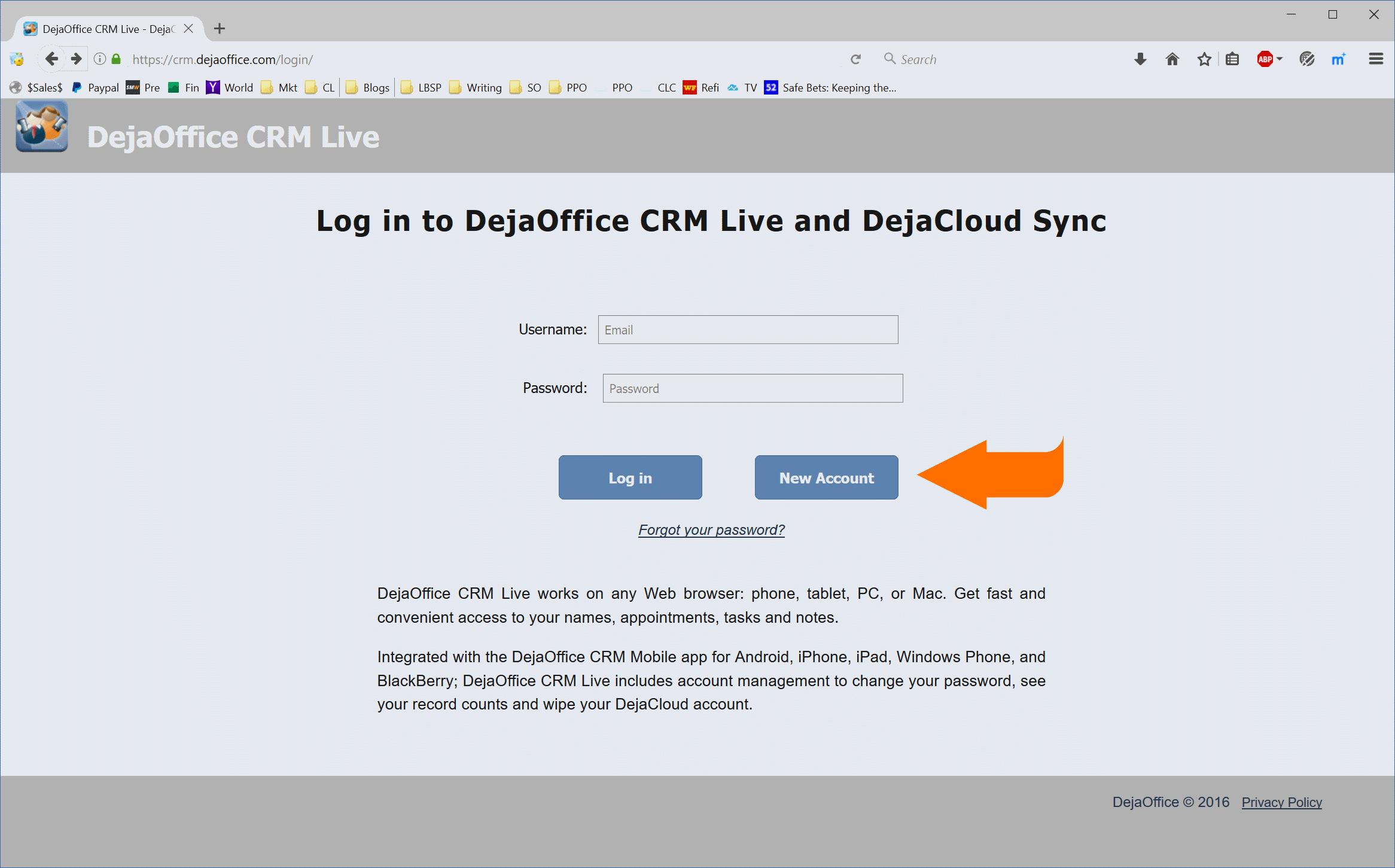
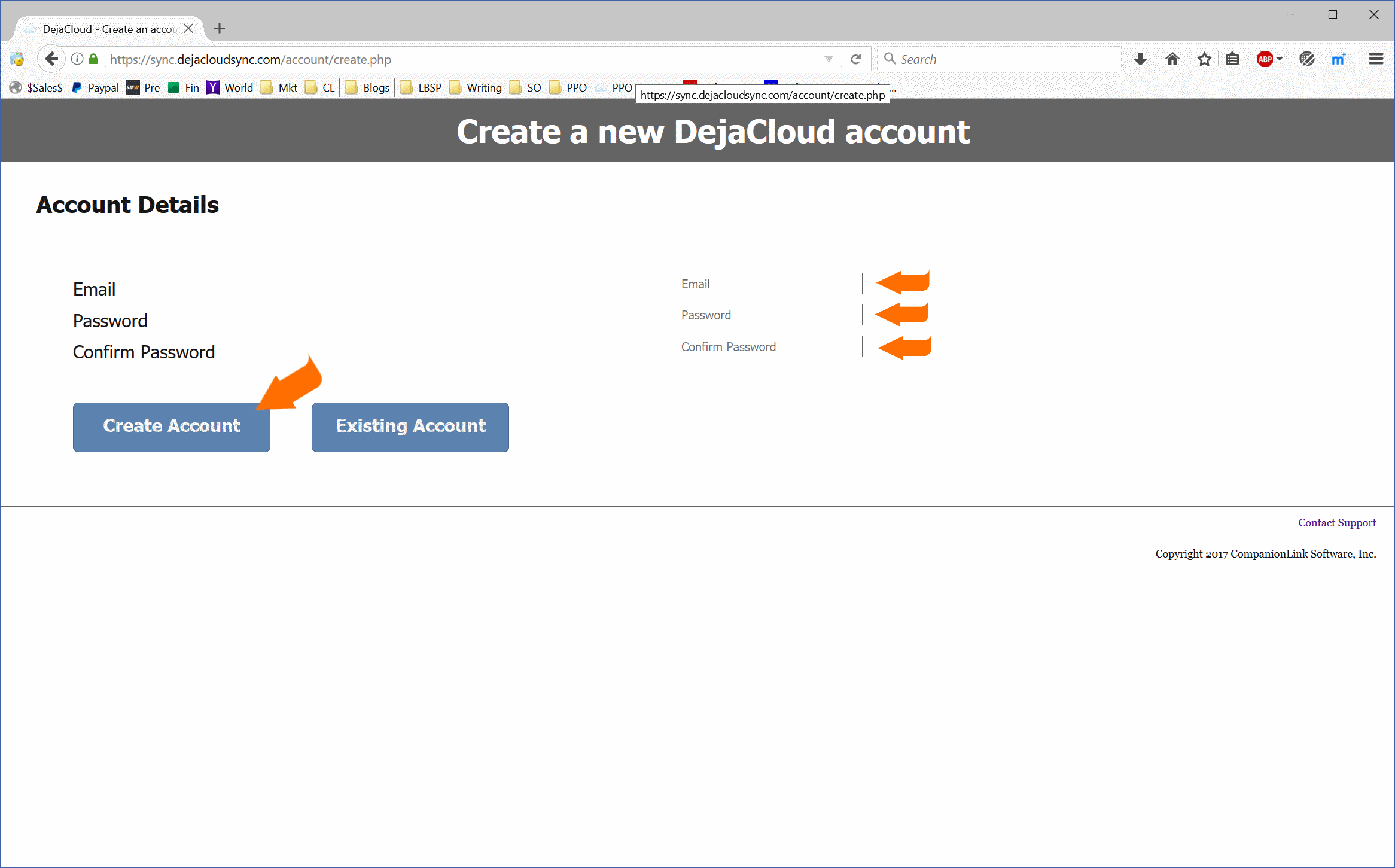
1. Create an account on DejaOffice CRM Live.
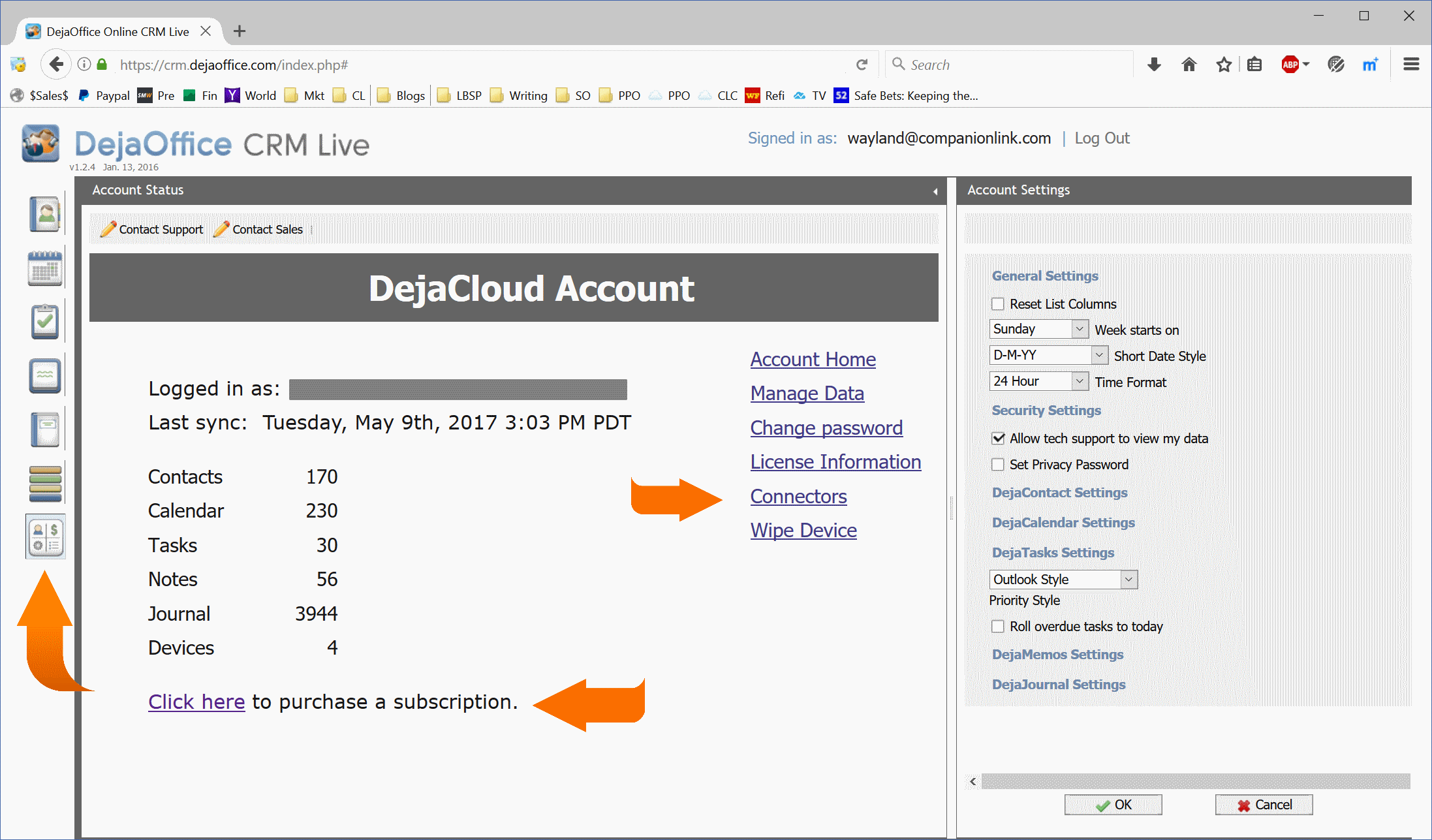
2.Select the “Settings” tab (the bottom one)
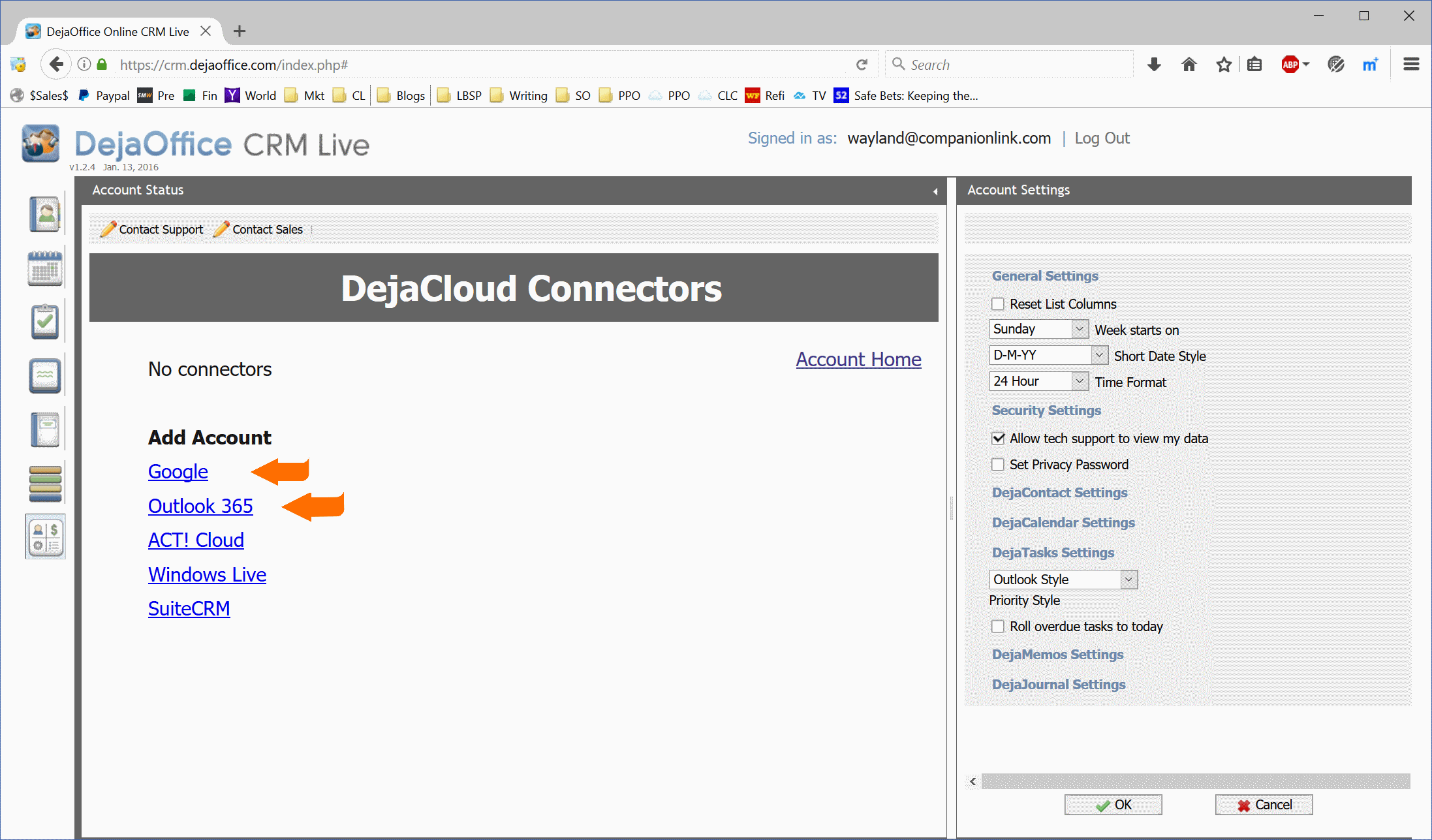
3. Set up your Google and Outlook accounts
4. If you have more have more than 400 records (contacts plus calendar),you will want to set up a payment option. Options are $14.95 for three months, or $99.95 for two years.
That’s all! Once you have set up, your accounts should synchronize within about 15 minutes. They will continue to sync automatically.
Here’s a link to our setup guide:
How to Connect Google with Office 365 using DejaCloud Connector
If you have any questions, you can call CompanionLink Support. They’ll help you out.
Harsh field conditions threaten remote operations, driving industrial teams to deploy heavy-grade physical barriers that…
AI analyzes data brilliantly, but can't feel fabric texture or test product weight. Discover why…
Learn how to create polished AI-assisted product demos your team can review. Cover briefs, permissions,…
Gen AI is changing how project management works by moving it from doing tasks to…
Maintaining operational efficiency without sacrificing authentic customer relationships remains a central challenge for the country’s…
Why AI tools feel slow and cost more than planned, which tasks need a large…