CompanionLink is the experienced leader in Mobile Contact and Calendar Sync. We have over 1 million downloads because we offer risk-free buying with a full money-back guarantee! Click here for a $10 discount code on today's purchase.

PC Sync for Windows 10 Mobile, Windows Phone 7, 8, and 8.1.
USB, WiFi, or DejaCloud sync. Contacts, Calendar, Tasks, Notes, and Categories.
Without using Exchange, Hotmail, or Office 365.
- Contacts, calendar, tasks, notes, categories
- Use DejaOffice App on Windows Phone
- Day, week, month, and list Calendar views
- Task list and Notes
- Works with all WP8 and W10M devices (Lumia, HTC, Ativ)
- Free telephone technical support
Choose Your Database
-

Sync W10 Mobile with Outlook
-

Sync W10 Mobile with Act!
-

Sync W10 Mobile with Palm Desktop
-

Sync W10 Mobile with Lotus Notes
-

Sync W10 Mobile with GroupWise
-

Sync W10 Mobile with GoldMine
-

Sync W10 Mobile with Time & Chaos
Resources
- Setup guide for Windows Phone DejaCloud Sync
- Setup guide for Windows Phone USB Sync
- Free DejaOffice app for Windows Phone 8
- Office 365 users - set up Outlook 2013 for secure PC sync
How it works
CompanionLink synchronizes Windows Phone with standalone Outlook over USB cable. Synchronize contacts, calendar, tasks, and notes. Our USB Sync is designed to restore the traditional wired sync feature that shipped with older Windows mobile handhelds. Just connect your Lumia, Ativ, or HTC Windows Phone to your PC and let CompanionLink handle the rest.
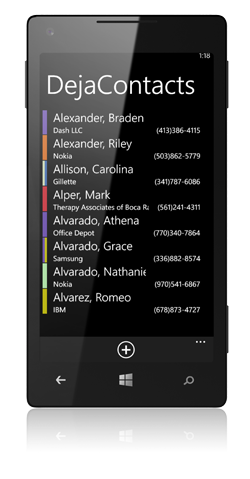
The synchronization works with our free DejaOffice app for WP8 that integrates with your device’s People Hub app. DejaOffice holds Outlook Contacts, Calendar, Tasks, and Notes in one integrated app that works with device features like Caller ID, email, maps, and text messaging.
Wi-Fi Sync option:
You can also sync using Wi-Fi. Choose Local Wi-Fi Sync from our configuration options if you prefer a wireless cloud-free connection between Windows Phone and your PC. This method uses your home/office wireless router to exchange data between Windows Phone and Microsoft Outlook.
DejaCloud option:
You can also sync using our secure Cloud service. Choose DejaCloud sync for a wireless connection that works from anywhere using your phone's data connection. This is the recommended option for people using multiple devices, such as a phone and tablet.
Get CompanionLink Express
Use this for Act! and IBM Notes
Buy One-time license $99.95 Buy 3-month subscription
$24.95
Schedule an appointment for a CompanionLink expert to set up your synchronization system. Our technician will securely log in to your PC and get everything working.
RunStart costs $69. Add Runstart to my order
Supported Windows Phone OS Devices
- Nokia® Lumia
- HTC® devices like 8S, 8X
- Samsung® Ativ
- Huawei® Ascend
5-Minute Setup
- Install CompanionLink for Outlook on your PC.
- Select "Windows Phone" from the list of device types.
- Select your Sync Method (USB Sync, Wi-Fi Sync, or DejaCloud).
- Select "Outlook" as your database.
Our products are backed by free telephone support. If you need help, please call us at 1-503-243-5200.
Last modified: May 1, 2022 12:16 am