Sync iPhone with Outlook without without sharing your data with Google. Contacts, Calendar, Tasks and Notes. Supports any version of Outlook. Easy, fast and best value - CompanionLink!
Sync Outlook Calendar, Contacts, Tasks and Notes with iPhone and iPad
Secure Direct Sync without using Google, iCloud, iTunes or Exchange.
Featured in The New York Times, PC Mag and USA TODAY
CompanionLink handles IMAP, Exhange and POP3 folders, and can synchronize using USB, Wi-Fi, or DejaCloud Sync. It is an essential tool to ensure that your essential data remains up to date and consistent across platforms, saving you time and eliminating the risk of missing important appointments or losing crucial contacts.
Support for Standalone Outlook Memos along with Tasks and Category Colors puts CompanionLink above the rest!
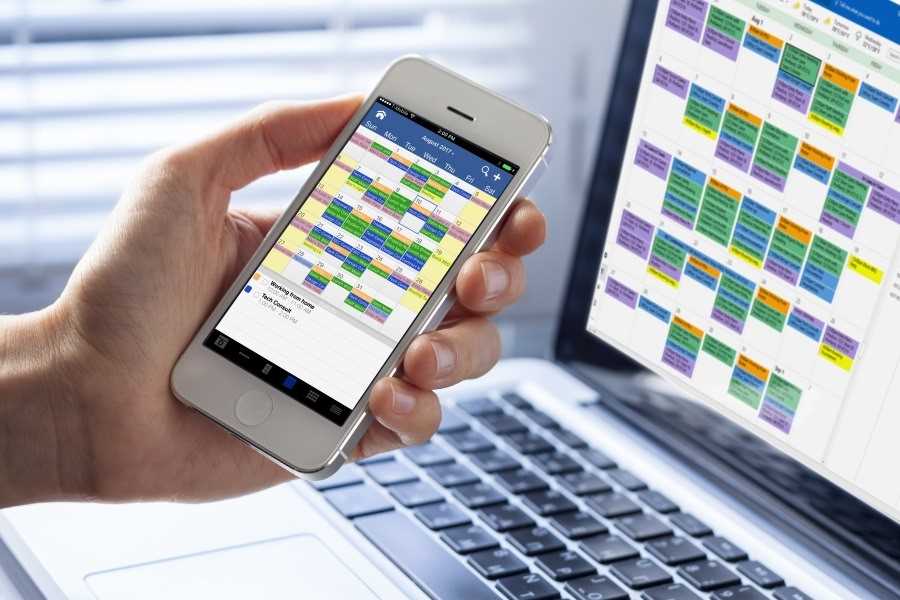
Why CompanionLink is Best
- We sync directly from Outlook to iPhone
- We send Outlook data to DejaOffice CRM on your iPhone.
- Contacts, Calendar, Tasks, Notes in one App
- Sync Outlook Categories and Category Colors
- Sync with native Contacts and Calendar
- One purchase for 3 PCs; work, home and laptop
- USA Based Telephone Technical Support
Buy CompanionLink for Outlook
Buy One-time license$69.95 Buy 3-month subscription
$14.95 Do you have a question?
Click here to ask us anything!
Resources
- Chart: Compare CompanionLink, iTunes, iCloud
- Setup guide: DejaCloud sync with iPhone
- Setup guide: WiFi sync with iPhone
- Setup guide: iPhone Outlook USB sync
- Setup guide: Sync via Google with iPhone
- How To guide: Sync Outlook categories to iPhone
- Free DejaOffice app for iOS devices
Portable License
Our competitors lock their license to your computer. So when you buy a new computer, you need to buy a new license. Your CompanionLink license is portable and you can download and register the software on a new computer using your email address.
US based company
CompanionLink is located in Portland, Oregon. Our servers are based in New Jersey to take advantage of proximity to the East Coast, and the transatlantic cables to Europe. Our servers are high technology and really fast!
Premium Support
With CompanionLink you can call us at (503)243-5200 for support, Monday through Friday, 7am-3:30pm Pacific Time. For those with special needs, use our a href="/runstart">RunStart Service gives you a one-time hands on session with a top tier technician. Our technician will log into your computer, set up the sync, and ensure you are completely satisified with the solution. If you want this service rgularly, use Premium Support for a full year and up to five service tickets.
DejaOffice
On your phone we feature DejaOffice CRM with PC Sync
from the Apple App Store. DejaOffice holds Contacts, Calendar, Tasks and Notes together, and with the same
internal formats as in Outlook. DejaOffice syncs to iPhone Native Accounts for Contacts and Calendar.
If you don't want to use DejaOffice then simply set it to sync to native iPhone Contacts and Android Calendar.
We also offer sync to Google. Same product. One purchase. Switch your method at any time.
So awesome.
Thank you Companionlink!
JHS
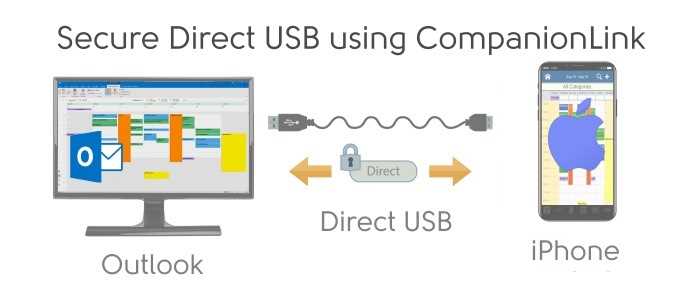
USB Sync Outlook with iPhone - Secure and Fast Sync using a USB Connection from Outlook to your iPhone and iPad.
- Install CompanionLink on your PC
- Install DejaOffice on your iPhone
- Select USB Sync
Setup guide: iPhone Outlook USB sync
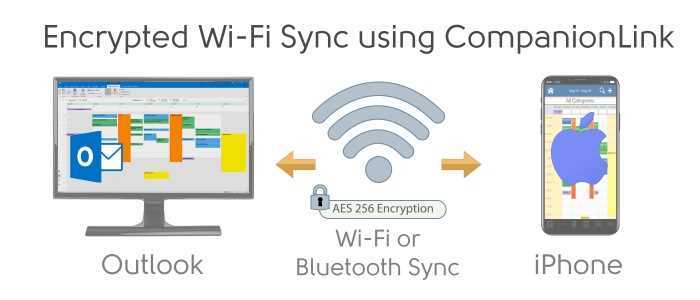
Encrypted Wi-Fi Sync Outlook with iPhone- Your data never leaves your local Wi-Fi network. Automatic pairing.
- Install CompanionLink on your PC
- Install DejaOffice on your iPhone
- Select Wi-Fi Sync
Setup guide: WiFi sync with iPhone
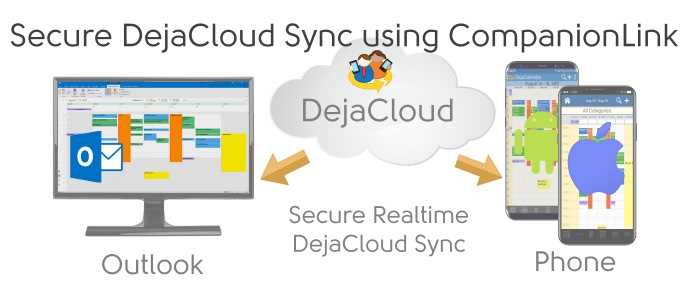
Secure DejaCloud Sync Outlook with iPhone - Fully automatic sync supports multiple devices like a phone and a tablet.
- Install CompanionLink on your PC
- Install DejaOffice on your iPhone
- Create a DejaCloud Account and Select DejaCloud Sync
Schedule an appointment for a CompanionLink expert to set up your synchronization system. Our technician will securely log in to your PC and get everything working.
RunStart costs $69. Add Runstart to my order
Outlook data we sync with iPhone
- Sync Outlook Contacts
- Outlook Contacts sync to DejaContacts
- Names, addresses, phone numbers, email addresses
- Outlook categories and colors sync to iPhone
- Contact notes
- Birthdays
- Contact photos
- Up to 9 custom Outlook fields
- Sync Outlook Calendar
- Outlook Calendar syncs to DejaCalendar
- All calendar event details
- Recurring and all-day events
- Alarms/reminders
- Accepted meeting invites (with list of attendees)
- Multiple Outlook calendars (Requires CompanionLink Pro)
- Sync Outlook Categories
- Outlook categories (contacts, calendar, tasks and notes) with colors sync to DejaOffice
- Sync Outlook Tasks
- Outlook Tasks sync DejaTasks
- Task priorities
- Due dates
- Complete tasks on iPhone
- Supports Getting Things Done, Franklin Covey, and Take Back Your Life formats
- Sync Outlook Notes
- Outlook Notes sync to DejaMemos
- No character limit lets you edit and store long notes
- Sync Outlook Journal
- Outlook Journal syncs to DejaJournal
- Log outgoing calls placed from DejaOffice
- Name of person you called
- Number of person you called
- Date and time of call
- Duration of call (coming soon)
How-To Resources and Guides
- How to sync Outlook Categories, Notes, and Tasks
- iPhone Outlook USB Sync
- How to sync Outlook Categories to Google and iPhone
Supported versions of Outlook
- Microsoft Teams
- New Outlook (via Graph)
- Outlook 365 (via Graph)
- Outlook 365 Apps
- Outlook 2022
- Outlook 2021
- Outlook 2019
- Outlook 2016
- Outlook 2013
- Outlook 2010
- Outlook 2007
- Office 365
- Outlook Business Contact Manager 2013
- Outlook Business Contact Manager 2010
- Outlook Business Contact Manager 2007
- 32 and 64-bit versions
- Supports MS Exchange Public Folders visible in Outlook
- Supports IMAP Accounts
- Supports POP3 Accounts
- Supports iCloud Accounts visible in Outlook
- Supports Outlook.com and Microsoft accounts
(formerly Windows Live Hotmail)
Cut the Cord!
Click here to find out How to use Office 365 without a subscription
Supported iOS devices
- iPhone running iOS 8 and higher.
- iPhone 12, iPhone 12 Pro, iPhone 12 Pro Max, iPhone 12 Mini
- iPhone SE (2nd generation)
- iPhone 11, iPhone 11 Pro, iPhone 11 Pro Max
- iPhone XS, iPhone XS Max
- iPhone XR
- iPhone X
- iPhone 8, iPhone 8 Plus
- iPhone 8, iPhone 8 Plus
- iPhone 7, iPhone 7 Plus
- iPhone 6, iPhone 6 Plus
- iPad running iOS 8 and higher
- iPad Pro 12.9 inch (3rd generation)
- iPad Pro 11 inch
- iPad Pro 12.9 inch (2nd generation)
- iPad Pro 10.5 inch
- iPad Pro 9.7 inch
- iPad Pro 12.9 inch
- iPad Air 4th Generation
- iPad Air 3rd Generation
- iPad Air 2
- iPad Air
- iPad Mini 5th Generation
- iPad Mini 4
- iPad Mini 3
- iPad Mini 2
- iPad Mini
- iPad (6th generation)
- iPad (5th generation)
- iPad (4th generation)
- iPad (3rd generation)
- iPad 2
- iPad
- iPod touch running iOS 8-12
Supported versions of Windows OS
- Windows 11 (64-bit)
- Windows 10 (32-bit and 64-bit)
- Windows 8.x (32-bit and 64-bit)
- Windows 7.x (32-bit and 64-bit)
- Windows Vista (32-bit and 64-bit)
- Windows XP / 2000 - (Requires CompanionLink 7 download)