
Sync BlackBerry with GroupWise

Sync GroupWise contacts, calendar, tasks and notes with BlackBerry

90-day money-back guarantee Free email & phone support Free updates Install on up to 3 PCs

You need CompanionLink Express or CompanionLink Pro!

Buy Express
(One-time license)
$79.95
Buy Pro
(One-time license)
$129.95
Subscribe to
Express
(3-mo. subscription)
$24.95
Subscribe to
Pro
(3-mo. subscription)
$34.95

With CompanionLink Pro, you can sync more devices, more ACT! fields, and do real-time sync between ACT! and Outlook.
Learn More

Sync with GroupWiseSync BlackBerry with your PC
Product Features Express Pro
Device Profiles 2 5
Realtime sync between ACT!, Outlook, and Lotus Notes (DoubleLook/DoubleNotes mode) -
Sync multiple folders/databases to the same device -

Learn more about CompanionLink Pro

Choose your sync method:

Sync via BlackBerry Desktop (USB)

BlackBerry USB Sync Secure Wireless Sync for BlackBerry

How It Works - Sync via BlackBerry Desktop (USB)

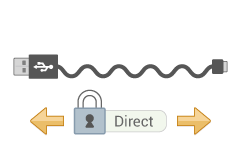
CompanionLink will sync GroupWise with your BlackBerry 10 devices such as Z10, Q10, and PlayBook. And we'll do it securely and direct using the USB cable that came with your device. No cloud servers hosting your data. No over-the-air data transmission involved. Your data - direct to your device.

CompanionLink relies on the BlackBerry Desktop Software engine to sync data. Simply configure BlackBerry Desktop Software to use CompanionLink as an add-in.

Data We Sync

  • Contacts
    • Syncs all common contact fields, including (but not limited to):
    • Name
    • Addresses
    • Phone numbers
    • Email addresses
    • Birthdays
    • Contact notes
    • Categories
  • Calendar
    • Recurring events (GroupWise treats recurring events as identical individual events)
    • Contact links to calendar events
    • Categories
  • Tasks
    • Complete tasks on the phone
    • Priorities
    • Due dates
    • Categories
  • Notes
    • Categories

What You Need

  • CompanionLink Express or CompanionLink Pro on your PC.
  • Novell GroupWise.
  • BlackBerry Desktop installed on your PC.

Supported versions of GroupWise

  • GroupWise versions 6.5.3 and higher

Getting Started

  1. Install CompanionLink on your PC and configure it to sync BlackBerry direct via USB.
  2. Configure BlackBerry Desktop to use CompanionLink as an add-in.
  3. Begin synchronization by clicking Sync from within Blackberry Desktop.

How It Works - Secure Hosted Sync

Our most robust sync solution, period. CompanionLink will sync GroupWise with your BlackBerry 10 devices such as Z10, Q10, and PlayBook over-the-air for just $9.95/month (More info ). It works anywhere you have an internet connection on your device.

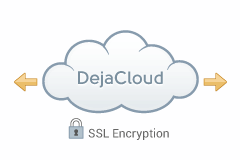
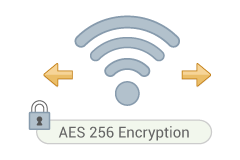
We use AES-256 bit encryption. CompanionLink does not host your data online; we simply sync information between GroupWise and your device.

CompanionLink installs on your PC and works with our DejaOffice app for BlackBerry 10, available for free at BlackBerry World.

Data We Sync

  • Contacts
    • Syncs all common contact fields, including (but not limited to):
    • Name
    • Addresses
    • Phone numbers
    • Email addresses
    • Birthdays
    • Contact notes
    • Categories
  • Calendar
    • Recurring events (GroupWise treats recurring events as identical individual events)
    • Contact links to calendar events
    • Categories
  • Tasks
    • Complete tasks on the phone
    • Priorities
    • Due dates
    • Categories
  • Notes
    • Categories

What You Need

  • CompanionLink Express or CompanionLink Pro on your PC.
  • Novell GroupWise on your PC.
  • DejaOffice app on your BlackBerry 10 device. Download DejaOffice by visiting BlackBerry World on your BlackBerry.
  • CL Secure Hosted Wireless service - $9.95/month More info . Activate service during initial CompanionLink Setup

Supported versions of GroupWise

  • GroupWise versions 6.5.3 and higher

Getting Started

  1. In the CompanionLink setup, create a new wireless account and enter your payment information.
  2. Open DejaOffice on the BlackBerry 10 device and enter your username and password here. DejaOffice can be configured to sync automatically in the background for true hands-free sync.
  3. On the PC, hit Synchronize. Once the PC has finished synchronizing, data will sync wirelessly to your BlackBerry through DejaOffice.

Screenshots

The CompanionLink home screen makes it easy to see an overview of your sync configuration.

Select the applications you wish to sync - CompanionLink gives you full control over your data.

Select different folders to sync with for each data type - CompanionLink works with your data structure.

"For over a year I have read all the horror stories of syncing a BlackBerry 9630 to Outlook 2010 64bit. Your software made it smooth and easy!"

Bill R
Customer

"Your product is outstanding and accomplishes exactly what I need."

Dale B
Customer

"CompanionLink made it easy to move my 2,000 plus contacts to my phone. This is a very good product that lives up to expectations."

John S
Customer

CompanionLink Professional
$129.95

CompanionLink Professional gives you advanced configuration options for working with multiple mobile devices and CRM databases.

We recommend Pro if you want to:

  • Sync multiple PC databases
  • Sync multiple devices
  • Advanced sync options for ACT!
  • Realtime sync between two PC databases

Buy now | More info

Secure Hosted Wireless Sync

Sync your database directly to your mobile device - without hosting your data in the cloud.

CompanionLink offers secure and automatic wireless sync of contacts, calendar, tasks and memos for $9.95 per month. We use government-standard 256-bit AES encryption so your data is completely secure. Plus, your data is never hosted in the cloud.

More info on CompanionLink Hosted Wireless Sync